Revenant Comment Le Faire Fonctionner Sous Windows 7
Ah, Windows 7. A simpler time. A pre-tile interface world. Perhaps you're clinging to its familiarity, or maybe you've inherited a perfectly functional machine and are reluctant to upgrade. Whatever the reason, you find yourself needing to run Revenant on your trusty Windows 7 system. Fear not, fellow retro-gamer! It's entirely achievable, and we're here to guide you through it. Think of us as your Gandalf, leading you past the Balrog of incompatibility.
Understanding the Challenge (and Why It's Worth It!)
Let's be honest: Revenant wasn't *exactly* designed with Windows 7 in mind. It hails from a bygone era, when dial-up internet was king and 3D acceleration was a novelty. This means compatibility issues can crop up. But don't despair! These challenges are usually easily overcome with a few tweaks. After all, who can resist the allure of that cheesy dialogue, the surprisingly engaging combat, and the, ahem, unique character designs?
Fun Fact: Did you know Revenant was developed by Cinematix Studios, a company that no longer exists? It's a piece of gaming history! Getting it running is like restoring a classic car - a labor of love with a rewarding payoff.
The Nitty-Gritty: Making it Work
Okay, let's get technical. Here's a breakdown of the most common solutions to get Revenant playing nicely with Windows 7:
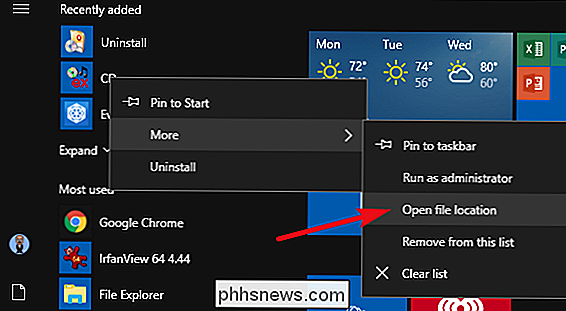
- Compatibility Mode: This is your first and easiest port of call. Right-click on the game's executable file (usually
Revenant.exeor something similar), select "Properties," then go to the "Compatibility" tab. Check the box that says "Run this program in compatibility mode for:" and select "Windows XP (Service Pack 3)" or "Windows 98 / Windows ME." Experiment to see which one works best for you. - Run as Administrator: Also in the "Properties" window, check the box that says "Run this program as an administrator." This gives the game necessary permissions to access system resources. Think of it as giving Revenant the keys to the kingdom (or at least, the keys to your graphics card).
- DirectX: Revenant relies on older versions of DirectX. You might need to install or update DirectX 9.0c. A quick Google search for "DirectX 9.0c download" will point you in the right direction. Be sure to download it from a reputable source!
- Graphics Card Drivers: Ensure your graphics card drivers are up to date. Sometimes, older drivers can cause compatibility issues. Visit the website of your graphics card manufacturer (NVIDIA, AMD, Intel) to download the latest drivers.
- Resolution Adjustments: Sometimes, the game's default resolution can cause problems. Try running the game in a lower resolution (e.g., 800x600) to see if that fixes any graphical glitches.
Practical Tip: Create a shortcut to the game on your desktop. This makes it easy to access and experiment with different compatibility settings. You can also rename the shortcut to something more descriptive, like "Revenant (XP Compatibility Mode)".
Going the Extra Mile: Tweaks and Enhancements
Once you've got the game running, you might want to consider some additional tweaks to improve your experience:
- dgVoodoo2: This is a wrapper that can improve the game's graphics and performance, especially on modern hardware. It essentially translates older DirectX calls into something your graphics card understands better. It's a bit more advanced, but well worth exploring if you're looking for a smoother experience.
- Fan Patches and Mods: The Revenant community is small but dedicated. Check online forums and websites for fan-made patches and mods that can fix bugs, improve textures, and even add new content. These can breathe new life into the game.
Cultural Reference: Remember the days of modifying configuration files to squeeze every last frame per second out of your games? This is that, but with slightly less typing. It's all part of the retro gaming experience!
A Moment of Reflection
Getting an older game like Revenant running on a modern system can be a bit of a challenge, but it's also a testament to the enduring appeal of classic games. It reminds us that sometimes, the best experiences aren't always the most technologically advanced. Just like a well-worn vinyl record or a beloved old book, Revenant offers a unique charm that transcends its technical limitations.
In our daily lives, we often chase the newest and shiniest things. But perhaps, like dusting off an old game, we should also take the time to appreciate the things that have stood the test of time. The friendships that have endured, the memories that still bring a smile, the simple pleasures that often go unnoticed. These are the real treasures, the things that truly matter.
So go forth, brave adventurer! Conquer the compatibility challenges and rediscover the world of Revenant. You might just find that the journey is as rewarding as the destination.



![Revenant Comment Le Faire Fonctionner Sous Windows 7 [ Windows 7 ] Faire fonctionner JAVA - YouTube](https://i.ytimg.com/vi/RKynyqcNF4w/maxresdefault.jpg)