Insérer Numéro De Page Sauf Page De Garde
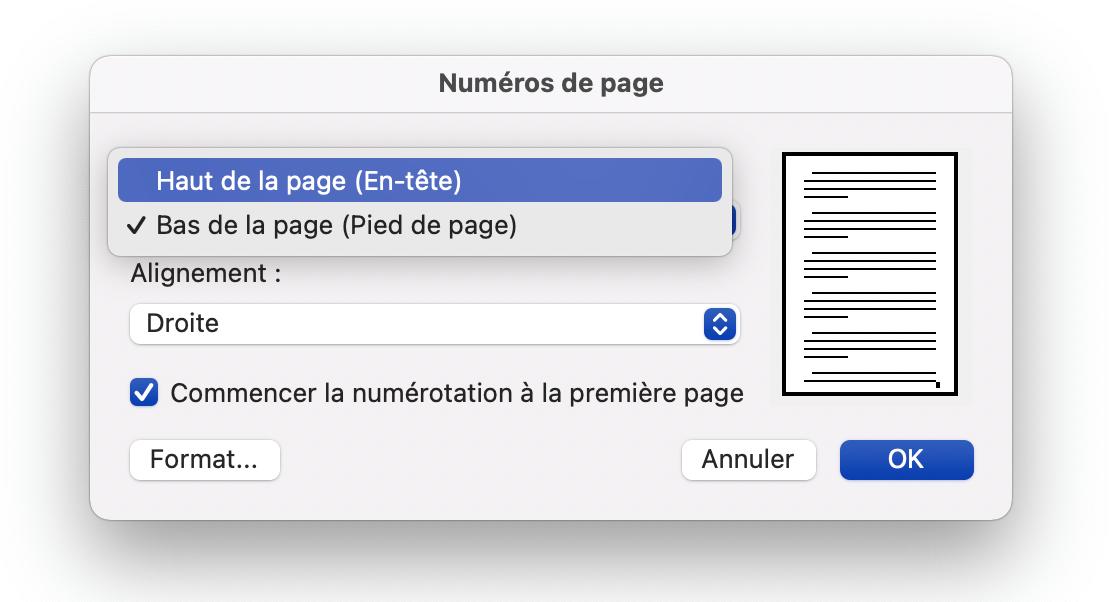
Okay, imagine this: I'm up all night finishing a report. Caffeine levels are through the roof, eyes are bloodshot, the whole shebang. I finally hit save, feeling like I've conquered Everest. I print it, proudly hand it in... only to get it back with a big red circle around the page numbers. Apparently, I'd numbered the *cover page*. Mortifying! We've all been there, right? This is precisely why we need to talk about the magical art of inserting page numbers, except on the cover page.
So, how do we avoid future embarrassment and look like seasoned professionals who know their way around a word processor? Let's dive in.
The Problem: Numbering Everything (Including the Cover!)
The default setting in most word processors is, well, to number *everything*. Which is fine... until it isn't. A cover page is usually meant to stand alone, a glorious introduction without the clutter of a "1" screaming in the corner. (Unless, of course, your professor or boss specifically *wants* it numbered. Always double-check!)
The Solution: Section Breaks to the Rescue!
This is where the real magic happens. Section breaks are your best friends. They allow you to treat different parts of your document differently. Think of them as invisible walls that separate formatting settings.
Step-by-Step Guide (General Principles, Check Your Software!)
While the exact steps might vary depending on whether you're using Word, Google Docs, LibreOffice, or some other program, the core principles are the same:
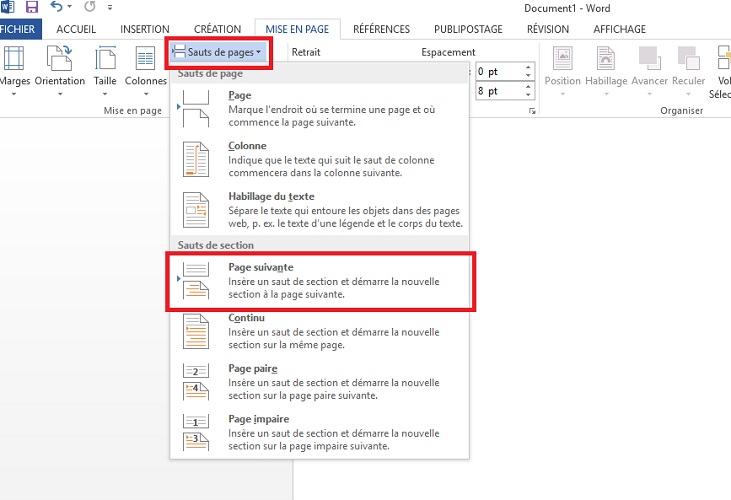
- Insert a Section Break: Place your cursor at the *end* of your cover page. Then, go to the "Layout" or "Insert" menu and look for "Breaks." Choose "Next Page Section Break." (This creates a break that starts the next section on a new page.)
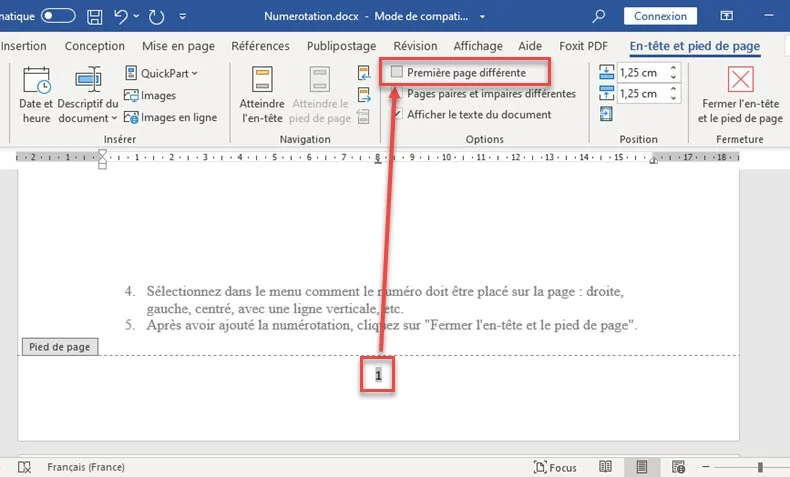
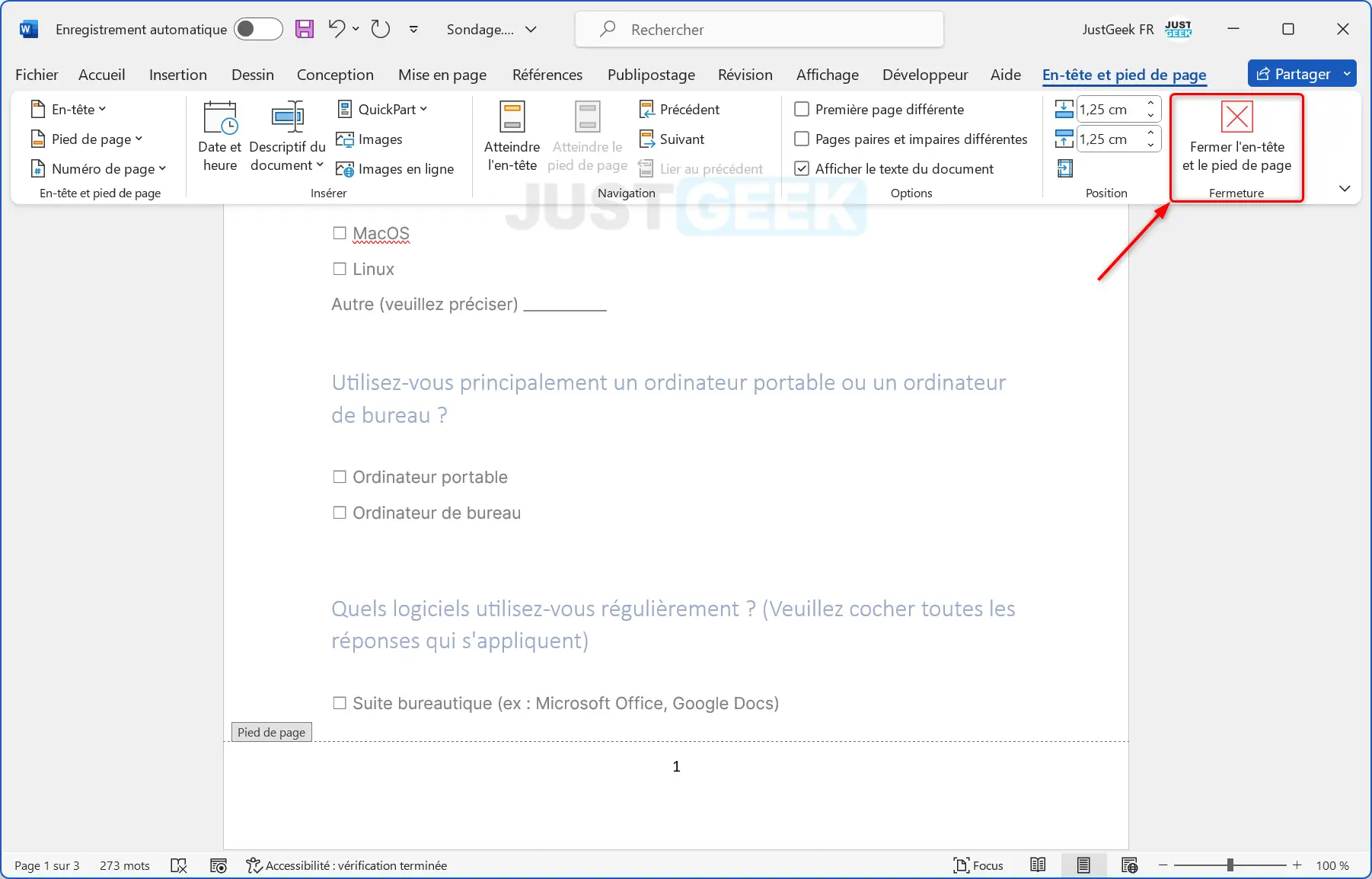
- Unlink Header/Footer: This is the critical step! Go to the header or footer (where you'll be inserting the page numbers) of the *second* page (the first page after the cover). There should be an option that says something like "Link to Previous" or "Same as Previous." *Uncheck* this! This breaks the connection between the header/footer of section 1 (the cover page) and section 2 (the rest of the document).
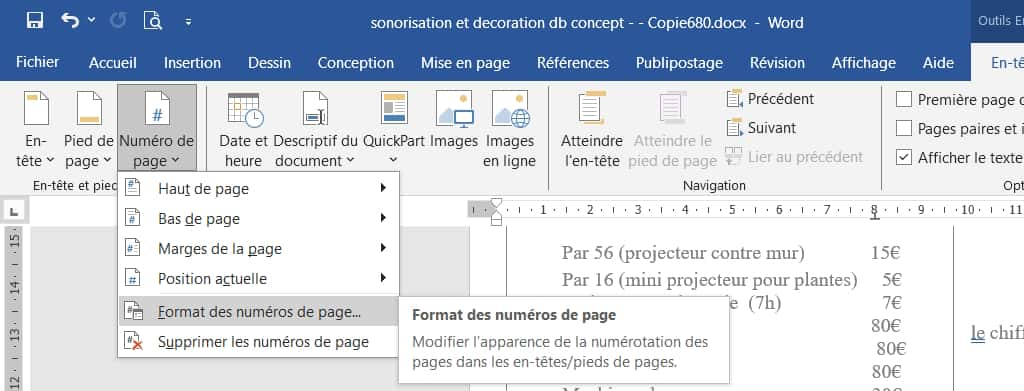
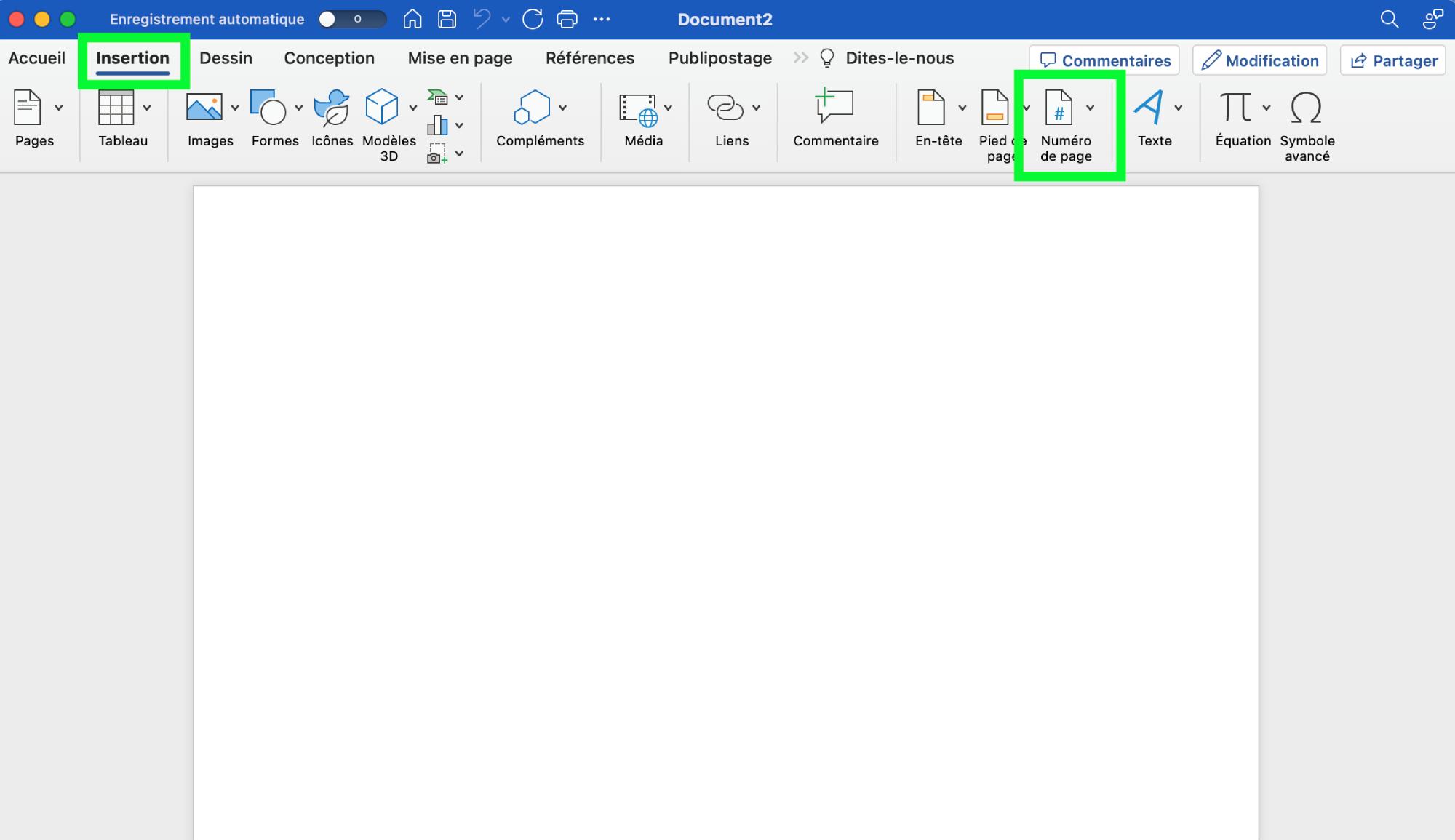
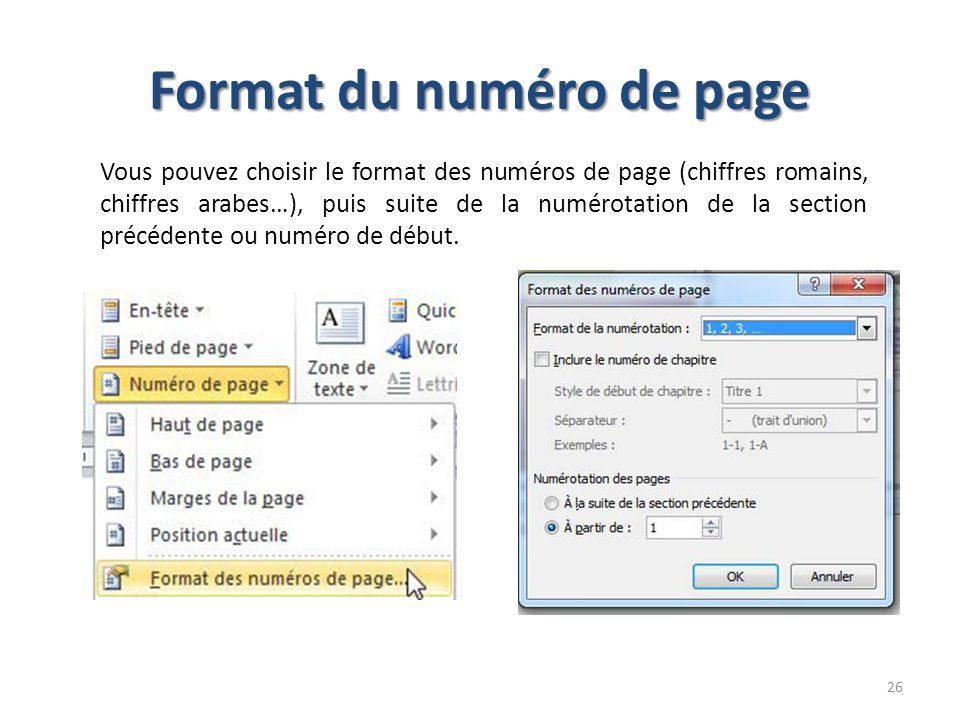
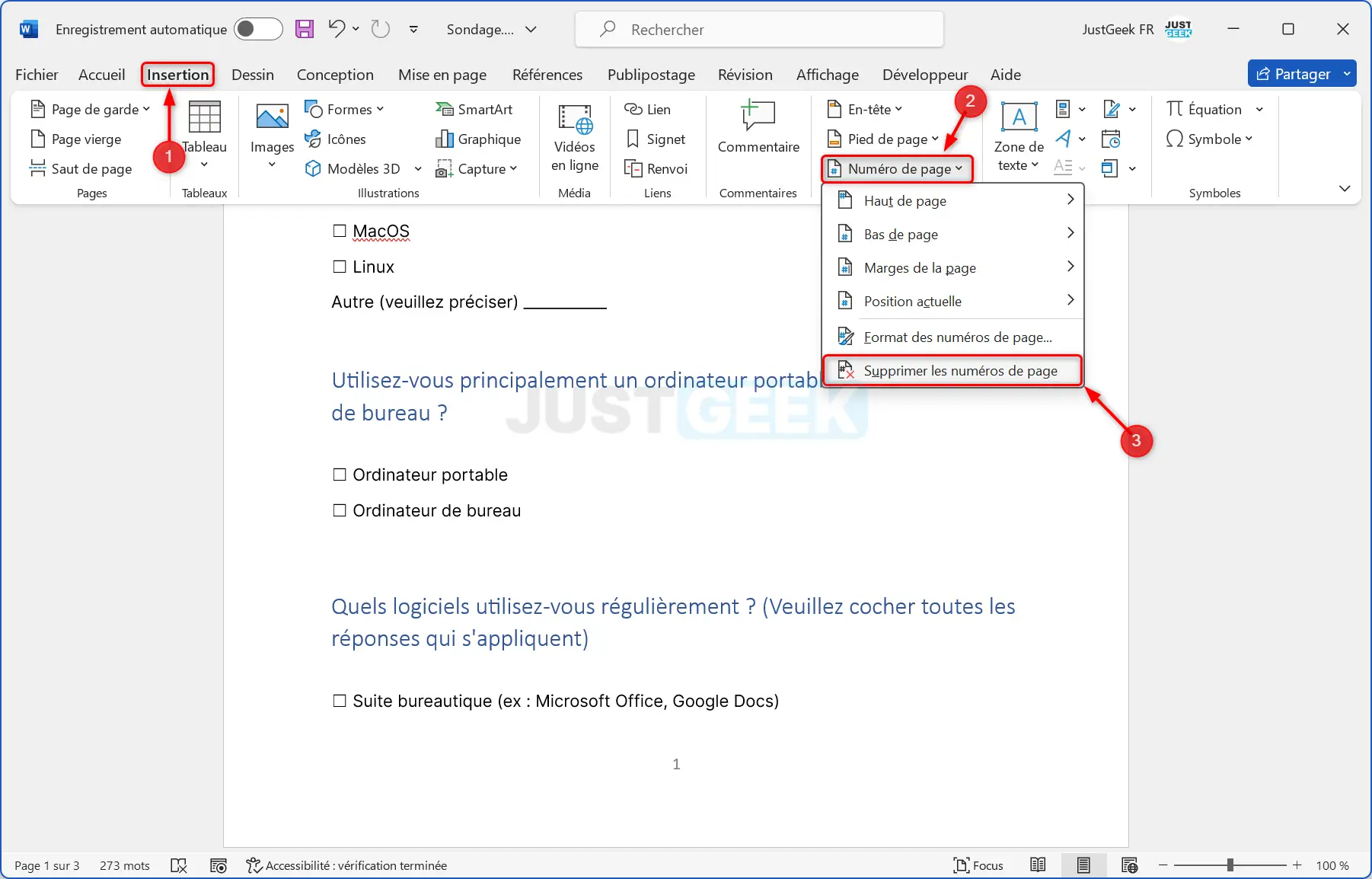
- Insert Page Numbers: Now, go ahead and insert your page numbers as usual. The numbering should *start* on the second page. (Pro tip: Make sure you start with the correct number, usually "1" or "2" depending on how you want to count.)
- Delete Numbers on Cover (If Necessary): If the number somehow snuck onto the cover page despite your best efforts, you can now delete it without affecting the numbering of the rest of the document. Huzzah!
Seriously, practice this a few times. It seems complicated at first, but once you get the hang of section breaks, you'll feel like a formatting wizard.
Specific Software Tips (Look Up Your Version!)
The above is a general guide. For specific instructions for your word processor and version, a quick Google search ("how to insert page numbers without cover page [Your Software Name]") will usually yield helpful results.
Why Bother? The Importance of Professionalism
Okay, so maybe numbering the cover page isn't the end of the world. But paying attention to these details shows that you're detail-oriented, professional, and that you care about the presentation of your work. (And trust me, professors and bosses notice!) It's like wearing a suit that fits properly – it just makes a better impression.
So go forth and conquer those page numbers! And remember, a well-formatted document is a happy document. (And a happy you!)
P.S. Don't forget to proofread *everything* one last time! You'd be surprised how many typos slip through even the most meticulous editing.