Comment Faire Passer En Boucle Une Video Sur Youtube
Okay, so picture this: last night, I was trying to fall asleep. Emphasis on *trying*. My brain, that little rebel, decided 3 AM was the perfect time to become obsessed with the "Baby Shark" song. (Yes, I know, kill me now.) And of course, once it was stuck, it just... *loop*ed. Over and over. Like a broken record. It got me thinking... how DO you make a YouTube video loop intentionally? For, you know, reasons that *aren't* 3 AM mental torture.
So, that’s what we're diving into today! How to put a YouTube video on repeat. Because let's be honest, sometimes you *want* that sweet, sweet repetition. Maybe it's a chill music track, a particularly mesmerizing cat video (no judgment!), or a tutorial you need to drill into your brain. Whatever the reason, I've got you covered.
The Classic Right-Click Loop
This is the simplest method, the OG of YouTube looping. Ready? Brace yourself for its complexity... just kidding! It's ridiculously easy.
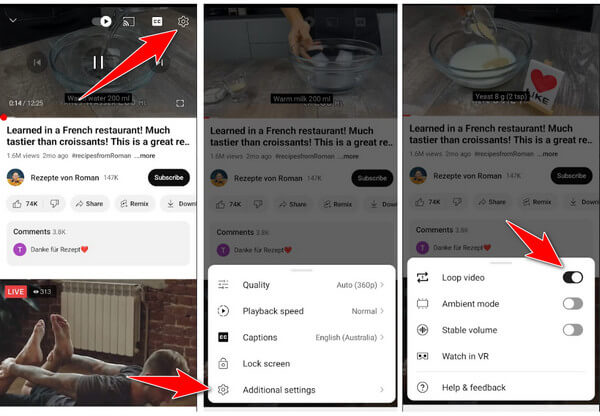
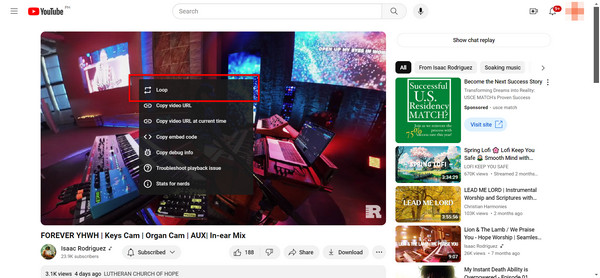
Right-click on the video player itself (not the comments, not the suggested videos, the actual video). A little menu will pop up. Look for the option that says "Loop". Click it. BOOM! Done.
Important note: This works on both desktop and mobile (using the YouTube website in your browser). The YouTube app, however, sometimes plays by different rules… which we'll get to later.
Easy peasy, lemon squeezy, right? But what if that right-click just... isn't working? Or you're on the YouTube app? Don't panic! We have backup plans.
The Playlist Power-Up
Okay, so the right-click method isn't always reliable, especially on mobile devices or when using the YouTube app. Here's where playlists come to the rescue!
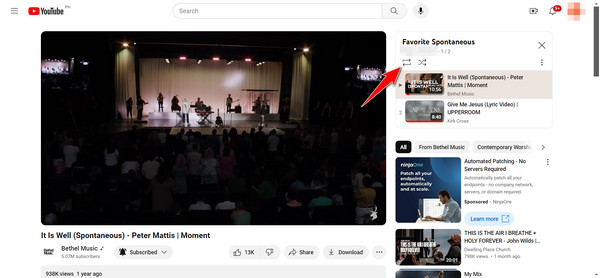
First, you need to create a playlist. If you don't have one already, just click the "Save" button underneath the video (it looks like a plus sign with the word "Save"), and then choose "Create new playlist". Give it a catchy name like "My Awesome Loop Playlist" or "Baby Shark Relief" (okay, maybe not that one).
Now, add the video you want to loop to this playlist. If it's already in a playlist, you're golden! Next, go to the playlist page. Usually, there's a loop button (it looks like two arrows chasing each other in a circle). Click it!
This is a slightly more convoluted method, but it's super reliable across different devices and the YouTube app. Think of it as the Swiss Army knife of YouTube looping.
Pro tip: If you want to loop multiple videos, just add them all to the playlist and activate the loop function. Hours of endless entertainment (or productive study, depending on the videos you choose)!
The YouTube App's Secret Weapon (Sometimes)
Alright, let's talk about the YouTube app. It can be a bit… temperamental when it comes to looping. As mentioned before, the right-click method generally doesn't work inside the app.
Using a playlist, as described above, is often the most reliable way to loop videos on the app. But, sometimes you will find the Loop function as a playlist setting.
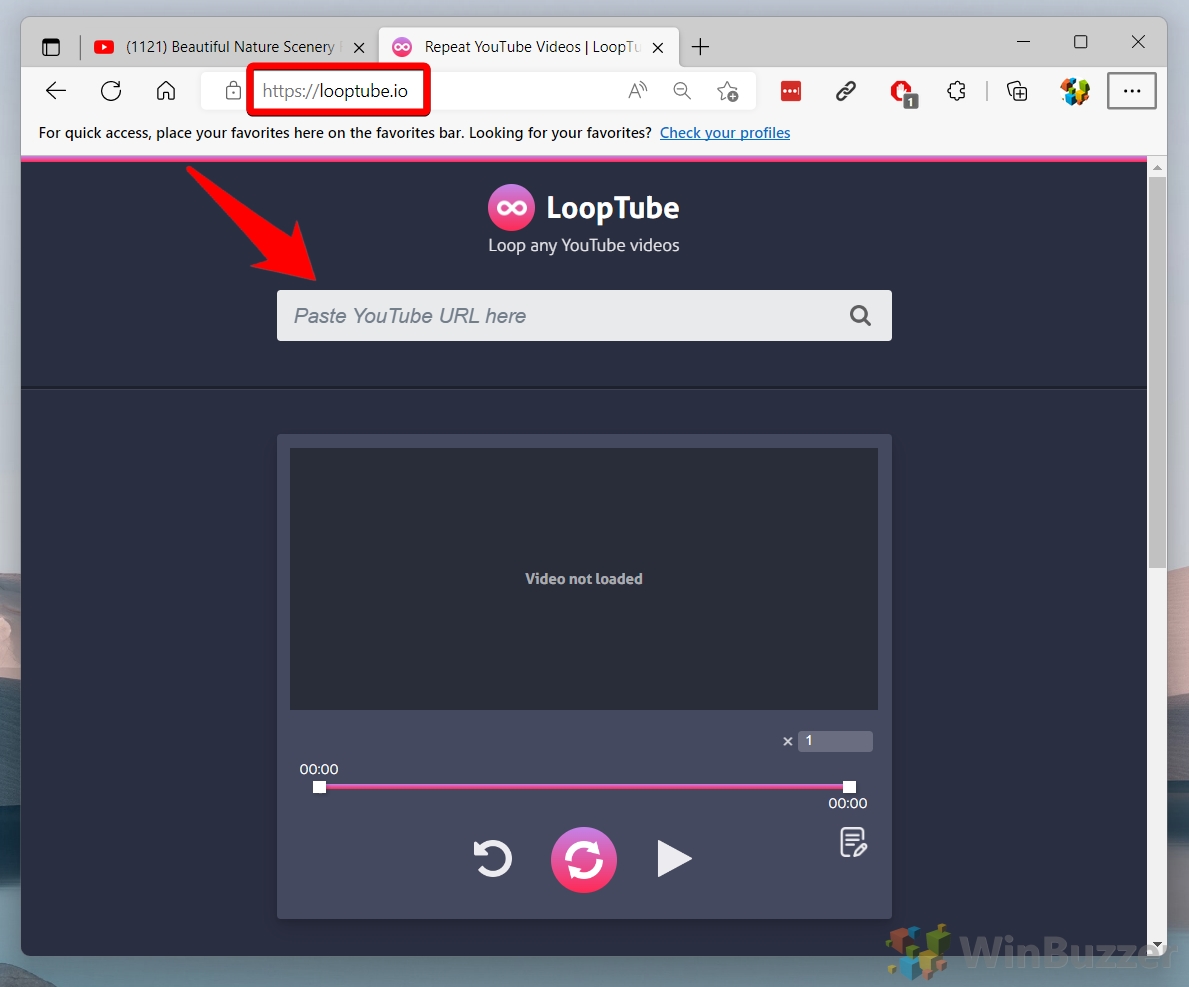
Another solution is to find an app that creates a looped YouTube video. However, be careful, because not all apps are safe.
Important Disclaimer: Always be wary of third-party apps. Make sure they're reputable and have good reviews before giving them any access to your YouTube account.
Why Would You *Want* To Loop a Video?
Okay, beyond the obvious (annoying earworms aside), there are actually some legit reasons to loop a YouTube video:
- Learning: Perfect for tutorials, language lessons, or anything you need to really absorb.
- Background Music: Need some ambient noise for studying or relaxing? Loop that chill lo-fi hip-hop video.
- Dance Practice: Mastering a new dance routine? Loop that choreography video until your feet fall off (metaphorically, of course).
- Annoying Your Roommates: Just kidding! (Mostly.)
So, there you have it! Everything you need to know about looping YouTube videos. Now go forth and loop responsibly (and maybe avoid "Baby Shark" at 3 AM). Happy watching!
![Comment Faire Passer En Boucle Une Video Sur Youtube [Tuto] Comment lire en boucle une vidéo Youtube ? - YouTube](https://i.ytimg.com/vi/4HxmGKU4nHA/maxresdefault.jpg)